Professional commercial display solution provider

- Home
-
Products
Professional commercial display solutions
-
About us
In good faith to customers
-
Service
Provide professional and meaningful advice
-
Knowledge Center
Innovation for development
- Contact us
How to Choose the Right Display Solution for Self-Service Kiosks?
How to Choose the Right Display Solution for Self-Service Kiosks?
Choosing the right display solution for self-service kiosks requires selecting 15.6-inch to 32-inch Full HD (1920×1080) IPS TFT LCD displays equipped with PCAP touch technology. This combination has become the gold standard in the industry because it delivers an optimal balance of visual clarity, touch responsiveness, durability, and cost-effectiveness for high-traffic public environments. Whether you are building retail self-checkout stations, restaurant ordering kiosks, healthcare registration terminals, transportation ticketing machines, or interactive information systems, evaluating key factors such as screen size, brightness (400–2500 nits), wide viewing angles, rugged construction, environmental adaptability, and long-term supply stability is essential for success.
Why 15.6" to 32" Full HD IPS Displays Have Become the Industry Standard
The self-service kiosk market has grown rapidly in recent years. As user expectations rise, small displays (7-inch or 10.1-inch) are increasingly insufficient for modern applications. Today's kiosks must handle complex tasks including displaying high-resolution product catalogs, processing secure payments, scanning QR codes and barcodes, showing interactive maps, and guiding users through multi-step workflows.
Larger screens in the 15.6-inch to 32-inch range provide enough real estate for intuitive, user-friendly interfaces while maintaining a compact kiosk footprint that fits well in retail stores, restaurants, hospitals, airports, and transportation hubs. These sizes strike the perfect balance between visibility and practicality.
Recommended Display Sizes and Applications:
| Display Size | Typical Applications | Key Advantages |
|---|---|---|
| 15.6" | Compact payment terminals, healthcare check-in | Space-saving, easy installation |
| 18.5" | Medical registration, service counters | Good visibility with moderate size |
| 21.5" | Restaurant ordering kiosks, retail self-checkout | Best overall balance and popularity |
| 23.8" | Advanced self-checkout systems, smart retail | Excellent usability and detail |
| 27" | Information directories, advertising displays | Rich content presentation |
| 32" | Large public information kiosks, transportation | Maximum impact and readability |
Among these, 21.5-inch and 23.8-inch models are currently the most popular choices for new kiosk projects. They offer sufficient screen area for modern UI/UX design while keeping the overall kiosk structure slim and professional.
The Importance of Full HD (1920×1080) Resolution
For displays 15.6 inches and above, Full HD resolution has firmly established itself as the preferred standard. Compared to older lower resolutions such as 1024×600 or 1366×768, Full HD provides significantly better performance in several critical areas:
- Improved Text Clarity: Sharp, crisp text makes instructions, pricing, menus, and legal disclaimers much easier to read, reducing user errors and frustration.
- Reliable QR Code & Barcode Scanning: Higher pixel density ensures QR codes and barcodes display clearly, improving scan success rates in payment and ticketing applications.
- Enhanced User Interface Design: Designers can create cleaner, more organized layouts with ample space for buttons, images, and navigation elements without clutter.
- Professional Visual Experience: Product photos, promotional videos, and branding content appear vibrant and high-quality, increasing customer engagement and trust.
In 2026, using anything below Full HD on mid-to-large kiosk displays often results in complaints about blurry text and outdated appearance, which can negatively impact brand perception.
Why IPS TFT LCD Technology Is Essential
IPS (In-Plane Switching) TFT LCD panels outperform traditional TN panels in almost every public-facing scenario. The most important advantages include:
- Ultra-wide viewing angles up to 178° horizontally and vertically
- Consistent color reproduction and contrast regardless of viewing position
- Minimal color shift or brightness loss when viewed from the side or above/below
- Better overall image stability in varying lighting conditions
These characteristics are particularly valuable in busy public locations such as shopping malls, airports, train stations, hospitals, and restaurants, where users approach the kiosk from different angles and heights. A TN panel might look washed out or distorted from an angle, leading to poor user experience, while an IPS panel maintains excellent visibility for everyone.
Brightness Requirements for Different Environments
Display brightness is one of the most critical factors affecting real-world performance. Choosing the wrong brightness level can result in screens that are difficult or impossible to read under actual operating conditions.
Brightness Guidelines by Environment:
| Environment Type | Recommended Brightness | Common Applications | Additional Recommendations |
|---|---|---|---|
| Standard Indoor | 400–700 nits | Malls, restaurants, office buildings | Standard anti-glare coating |
| High Ambient Light | 700–1200 nits | Store entrances, transportation stations | Optical bonding strongly advised |
| Direct Sunlight / Outdoor | 1200–2500+ nits | Parking systems, outdoor ticketing | High-brightness modules + bonding |
For indoor kiosks, 500–700 nits is usually sufficient. However, in areas with large windows or bright artificial lighting, pushing toward 1000 nits significantly improves readability. Outdoor or semi-outdoor installations almost always require high-brightness displays combined with optical bonding technology to minimize reflections and enhance contrast.
PCAP Touch Technology: The Preferred Standard
Projected Capacitive (PCAP) touch has completely replaced resistive touch as the dominant technology in self-service kiosks. Its major benefits include:
- True multi-touch support (pinch, zoom, swipe gestures)
- High touch sensitivity and fast response time
- Excellent optical clarity with minimal light loss
- Long operational lifespan (typically 50 million+ touches)
- Ability to work with thin gloves in some configurations
- Familiar user experience similar to smartphones and tablets
This familiarity dramatically reduces the learning curve for customers, leading to higher completion rates for transactions and services.
Durability and Protection Features
Self-service kiosks operate 24/7 in public spaces and are subject to constant use, potential vandalism, and environmental stress. Essential durability features include:
- Tempered Cover Glass: Preferably GG5 (or higher) for superior impact and scratch resistance
- Anti-Glare Surface Treatment: Dramatically reduces reflections and improves visibility
- Anti-Fingerprint Coating: Keeps the screen cleaner for longer periods and reduces cleaning frequency
- Optical Bonding: Eliminates air gaps between the LCD and touch panel, improving contrast and reducing internal reflections
- Wide Temperature Operation: Industrial-grade modules typically support -20°C to +70°C
- Humidity and Vibration Resistance: Critical for transportation and outdoor applications
Environmental Considerations for Long-Term Reliability
Kiosk displays must be matched to their operating environment. Key factors include:
- Temperature Range: Indoor kiosks usually need 0°C to 50°C, while outdoor units may require -30°C to 85°C performance.
- Humidity Resistance: High humidity can degrade touch sensitivity and cause internal condensation.
- UV Protection: Outdoor displays need UV-resistant materials to prevent yellowing and degradation over time.
- Shock and Vibration: Important for kiosks installed in vehicles, railways, or high-traffic areas.
Selecting industrial-grade rather than consumer-grade displays significantly reduces failure rates and maintenance costs.
Display Interface Options and System Integration
Proper interface selection ensures smooth communication between the display and the main computing system:
- LVDS: Offers stable signal transmission and is ideal for longer cable runs in industrial setups.
- HD-MI: Provides easy integration and is excellent for rapid prototyping and testing.
- MIPI: Delivers high bandwidth with low power consumption, suitable for embedded and compact systems.
- RGB: A more basic, cost-effective option for simpler applications.
Always verify compatibility with your chosen processor board and consider cable length and electromagnetic interference in the final kiosk design.
Long-Term Supply Stability and Lifecycle Management
Most self-service kiosk projects are designed for 5 to 10 years of operation. Consumer-grade displays often face discontinuation within 1–2 years, creating serious risks of costly redesigns. When selecting a supplier, prioritize those who offer:
- Long-term product availability commitments
- Stable specifications across production batches
- Customization flexibility
- Strong technical support and engineering resources
This approach protects your investment and ensures consistent quality throughout the product lifecycle.
When to Invest in Custom Display Solutions
While off-the-shelf modules work well for standard projects, custom solutions become valuable when you need:
- Specific brightness levels or optical performance
- Unique cover glass design with printed logos
- Special mechanical dimensions or mounting solutions
- Tailored touch panel sensitivity
- Enhanced durability for extreme environments
- Customized firmware or interface configurations
Custom displays can provide significant competitive advantages in product differentiation, user experience, and long-term reliability.
Common Mistakes to Avoid
Many kiosk projects fail due to:
- Choosing brightness levels that are too low for the actual lighting conditions
- Selecting consumer-grade panels instead of industrial ones
- Ignoring wide viewing angle requirements
- Underestimating the importance of quality cover glass and optical bonding
- Failing to secure long-term supply agreements
Future Trends in Kiosk Displays
Looking ahead, we can expect increased adoption of even higher brightness levels, better energy efficiency, integration with AI-powered interfaces, and more advanced anti-microbial coatings for hygiene-sensitive applications like healthcare.
Conclusion Selecting the right display is one of the most important decisions when developing self-service kiosks. For the majority of commercial applications in 2026, the recommended solution is a 21.5-inch or 23.8-inch Full HD IPS TFT LCD display with PCAP touch, 700–1000 nits brightness, optical bonding, and GG5 tempered glass. This configuration delivers outstanding usability, reliability, and return on investment while minimizing maintenance requirements.
A well-chosen display not only improves the immediate user experience but also reduces long-term operational costs and protects your brand reputation in public environments.
If you are currently planning a kiosk project, feel free to share more details — such as target screen size, installation environment (indoor/outdoor), application type, expected quantity, and any special requirements — and I can provide more targeted recommendations and suitable product options.
Recommended reading
 2026-06-30What is High Haze Anti-Glare Glass for Advertising Displays?
 2026-06-30Optimizing Display Legibility for Outdoor EV Charging Infrastructure: A Technical Guide to Sunlight-Readable LCD Design
 2026-06-29How Curved LCD Displays Ensure 24/7 Reliability in High-Traffic Gaming Environments
 2026-06-23How Many Nits of Brightness Are Required for an EV Charging Station Display to Be Sunlight-Readable?
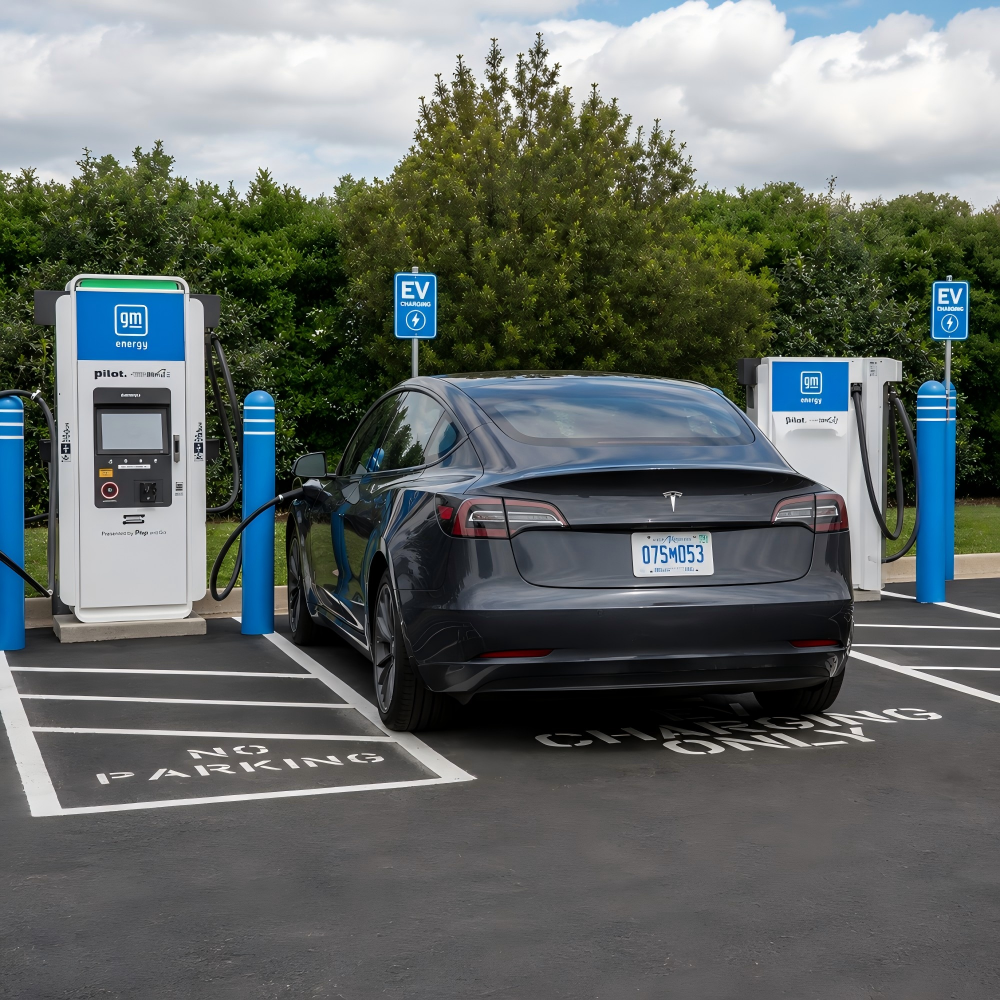 2026-06-23What Touch Technology Is Best for EV Charging Station LCD Displays?

Products
Commercial LCD Display
Gaming LCD Module
Outdoor Display
MINI-LED LCD Display
High Resolution Medical Display
OLED Display
Total Solutions
E-ink LCD Display
Desk VR Monitor
Service
Custom Touch Screen Solutions
Customized Frames & Protective Cover Glass
LCD Driver Board & Accessory Customization
Contact us
Contact Us
Copyright © 2025 Shenzhen Aptus Technology Co.,Ltd All Rights Reserved.

-
Inquire
- Top