Professional commercial display solution provider

- Home
-
Products
Professional commercial display solutions
-
About us
In good faith to customers
-
Service
Provide professional and meaningful advice
-
Knowledge Center
Innovation for development
- Contact us
What Should Be Considered When Choosing a Bar LCD Display?
What Should Be Considered When Choosing a Bar LCD Display?
Choosing a bar LCD display requires more than comparing screen size and resolution. For commercial applications such as retail shelf displays, digital signage, transportation information systems, and narrow-space advertising, buyers should evaluate the available installation space, active display area, aspect ratio, resolution, brightness, viewing angle, interface, operating environment, content format, and system integration requirements. The right bar LCD should match both the physical structure of the equipment and the way information will actually be displayed.
A bar LCD display is designed for applications where a conventional 16:9 screen is too tall or inefficient. Its elongated format allows manufacturers to integrate digital information into narrow spaces while maintaining a wide visual area. For example, Duobond Display offers bar displays such as a 23.1-inch 1920×158 model for shelf-edge applications and larger 28.6-inch and 47.6-inch ultra-wide displays for commercial digital signage.
Available Installation Space
The first consideration should be the actual installation space rather than the diagonal screen size.
A bar LCD may have a large diagonal measurement but a very small vertical height. Therefore, simply specifying a screen size such as 23.1 inches or 28.6 inches is not enough to determine whether it will fit your equipment.
Before selecting a display, measure:
- Available width and height
- Mounting opening
- Maximum display depth
- Rear clearance
- Cable routing space
- Mounting bracket position
- Ventilation area
- Product or shelf obstructions
The active display area and overall outline dimensions should both be confirmed with the LCD supplier.
For example, Duobond Display's 23.1-inch bar LCD has an active area of approximately 585 × 48 mm and an overall dimension of approximately 597.4 × 60.4 × 15 mm. These dimensions are significantly more important for shelf integration than the 23.1-inch diagonal specification alone.
For OEM projects, it is also useful to request a mechanical drawing or 3D model before finalizing the enclosure.
Aspect Ratio and Native Resolution
Aspect ratio is one of the most important specifications when selecting a bar LCD display.
Unlike conventional 16:9 commercial displays, bar LCDs can have extremely wide formats such as 12:1, 16:3, or other customized ratios. The aspect ratio determines how much horizontal information can be displayed and how naturally the screen fits into a particular installation.
For example:
| Application | Display Characteristics |
|---|---|
| Retail shelf edge | Extremely wide and low profile |
| Digital signage strip | Wide horizontal canvas |
| Transportation signage | Long horizontal information area |
| Equipment status display | Wide information/status layout |
| Advertising display | Horizontal promotional content |
Resolution should always be evaluated together with aspect ratio.
A display with 1920 × 158 pixels is fundamentally different from a 1920 × 1080 display, even though both have 1920 horizontal pixels. The content must be designed according to the native pixel matrix.
If the media player outputs an incompatible resolution, the image may be stretched, cropped, compressed, or displayed with black bars. Duobond Display has also highlighted this issue in its technical guidance for Android media players and bar-type displays.
Therefore, before purchasing a bar LCD, confirm:
- Native resolution
- Aspect ratio
- Supported input resolution
- Refresh rate
- Scaling capability
- Media player output resolution
The safest approach is to design the content using the LCD's native resolution rather than forcing standard 16:9 content onto an ultra-wide screen.
Brightness and Viewing Conditions
Brightness should be selected according to the actual installation environment.
For a standard indoor retail environment, moderate brightness may be sufficient. However, displays installed near storefront windows, under strong retail lighting, or in semi-outdoor locations may require higher brightness.
For example, Duobond Display's existing bar LCD products include 300 cd/m² and 350 cd/m² configurations, while customized higher-brightness solutions can be considered for more demanding environments.
When evaluating brightness, consider:
- Ambient light level
- Direct sunlight exposure
- Viewing distance
- Viewing angle
- Glass or protective cover
- Anti-glare requirements
- Operating hours
Higher brightness is not automatically better. Excessive brightness can increase power consumption, heat generation, and operating costs. The target should be sufficient readability under the actual lighting conditions.
Viewing Angle
A bar LCD is often viewed while customers are walking past the display rather than standing directly in front of it.
This makes viewing angle particularly important for:
- Supermarket shelves
- Retail gondolas
- Transportation signage
- Public information displays
- Long advertising strips
A wide viewing angle helps maintain image quality and color consistency when the viewer is positioned away from the center axis.
Several Duobond Display bar LCD models specify approximately 89°/89°/89°/89° viewing angles, corresponding to a wide 178° viewing range.
For applications where people approach the display from different directions, viewing performance should be tested at realistic angles rather than evaluated only from a straight-on position.
Interface and System Compatibility
The LCD interface should be confirmed before placing an order because the display cannot necessarily be connected directly to every controller or media player.
Depending on the product architecture, the system may use:
- HD-MI
- LVDS
- MIPI
- eDP
- USB
- RJ45
- Customized controller boards
For complete commercial displays, the interface requirements may also include the Android mainboard, network connection, USB ports, remote control, audio, and content-management system.
For example, Duobond Display's 28.6-inch bar display integrates an Android 11 platform based on the RK3566 processor and provides USB, RJ45, and HDMI OUT interfaces.
Before selecting a bar LCD, the buyer should confirm compatibility between the LCD panel, driver/controller board, operating system, media player, and content-management software.
This is especially important for large-volume retail deployments where using a standardized hardware architecture can simplify installation and maintenance.
Content Format and User Interface
A bar LCD should be selected according to the content that will appear on it.
Ultra-wide displays work particularly well for:
- Product prices
- Promotions
- Product comparisons
- Scrolling information
- Advertising banners
- Product specifications
- Transportation information
- Shelf-edge digital signage
- Status information
However, content should not simply be stretched from a standard 16:9 video.
A better approach is to design the user interface around the native bar LCD resolution. Important information should remain within the most visible area, while text size should be tested at the actual viewing distance.
For shelf-edge applications, for example, short product names, prices, promotional messages, icons, and horizontally arranged product information are usually more appropriate than large blocks of text.
Mechanical Design and Installation
Mechanical integration can determine whether a bar LCD is practical for mass production.
The LCD should be evaluated together with the enclosure, mounting structure, protective glass, cables, and ventilation system.
Important questions include:
- Is the panel thickness compatible with the enclosure?
- Where are the mounting holes?
- How will the FPC or signal cable be routed?
- Is there sufficient space for the controller board?
- Does the installation require a custom metal frame?
- Is protective glass necessary?
- Does the system require touch functionality?
For commercial projects, a supplier capable of customizing frames, protective cover glass, touch panels, cables, and driver boards can significantly reduce integration work.
Duobond Display provides customized frames, protective cover glass, touch solutions, driver boards, and display accessories for commercial display projects.
Operating Temperature and Reliability
The operating environment should also be considered, particularly when a bar LCD will run continuously.
A retail display may operate for many hours every day, while digital signage systems may require 24/7 operation. In these situations, thermal management, backlight reliability, power consumption, and component quality become important.
Before selecting a display, check:
- Operating temperature
- Storage temperature
- Operating humidity
- Continuous operating capability
- Backlight lifetime
- MTBF
- Power consumption
- Thermal design
For example, Duobond Display's 28.6-inch bar display is specified for 0–50°C operation and supports continuous commercial operation, with an MTBF of more than 50,000 hours.
For demanding environments, the required temperature range should be discussed with the supplier before the display architecture is finalized.
Touch Function and Protective Glass
Not every bar LCD application requires touch.
For advertising and shelf-edge applications where customers only view information, a standard display may be the most cost-effective option.
However, interactive applications may require a touch panel.
If touch functionality is needed, consider:
- Capacitive or resistive touch technology
- Cover glass thickness
- Surface hardness
- Anti-glare treatment
- Touch accuracy
- Touch controller compatibility
- Glove or wet-touch requirements
The touch panel should be considered as part of the complete display structure rather than added after the LCD has already been selected.
24/7 Operation and Maintenance
For commercial deployments, reliability should be evaluated beyond the initial purchase price.
A bar LCD used across hundreds of retail locations needs consistent performance, easy replacement, and stable long-term supply.
Important questions include:
- Is the display designed for continuous operation?
- Can replacement units maintain the same mechanical dimensions?
- Is the LCD model available for long-term production?
- Can the supplier provide customized versions?
- Are driver boards and cables standardized?
- Is technical support available during integration?
These factors can have a significant impact on the total cost of ownership.
Customization Requirements
Standard bar LCDs are suitable for many applications, but some projects require a customized solution.
Customization may include:
- Custom aspect ratio
- Custom resolution
- Higher brightness
- Touch panel integration
- Protective glass
- Anti-glare treatment
- Custom housing
- Mounting brackets
- Driver board
- Android/Linux system
- Signal cables
- Customized connectors
For example, Duobond Display supports customized touch solutions, mechanical structures, driver boards, and display accessories, making it possible to develop a bar LCD around the customer's equipment rather than forcing the equipment to adapt to a standard screen.
How to Choose the Right Bar LCD Display
A practical selection process should start with the application rather than the product catalog.
First, define the installation opening and active display area. Then determine the required aspect ratio and native resolution according to the content. After that, evaluate brightness, viewing angle, interface, operating temperature, mechanical structure, and continuous-operation requirements.
A simple specification checklist can include:
| Selection Factor | What to Confirm |
|---|---|
| Installation | Width, height, depth and mounting space |
| Active Area | Required visible display area |
| Aspect Ratio | Match the physical space and content |
| Resolution | Match UI and media-player output |
| Brightness | Match ambient lighting |
| Viewing Angle | Match customer viewing positions |
| Interface | Confirm host/controller compatibility |
| Mechanical | Panel thickness, mounting and cable routing |
| Environment | Temperature and humidity |
| Reliability | 24/7 operation and MTBF |
| Touch | Required or standard display |
| Customization | Housing, board, brightness and touch options |
For commercial applications, choosing a bar LCD based only on price or diagonal size can lead to integration problems later. The better approach is to define the mechanical, optical, electrical, software, and environmental requirements first, then select a display that satisfies the complete system.
For customers looking for a ready-to-integrate or customized ultra-wide display, you can explore the Original Bar Display product range from Duobond Display.
FAQ
What is the most important factor when choosing a bar LCD display?
The available installation space and required aspect ratio should normally be defined first. A bar LCD must physically fit the equipment while providing an appropriate native display area for the intended content.
Is a higher-resolution bar LCD always better?
Not necessarily. Resolution should match the viewing distance, content type, screen size, and system output. The native resolution must also be compatible with the media player or controller.
What brightness is suitable for a bar LCD?
The required brightness depends on ambient lighting and viewing conditions. Around 300–350 cd/m² can be suitable for many indoor retail environments, while brighter environments may require a customized higher-brightness solution.
Can a bar LCD display be customized?
Yes. Depending on the project, customization can include aspect ratio, resolution, brightness, touch panel, protective glass, housing, mounting structure, driver board, cables, and system platform.
Can bar LCD displays operate 24/7?
Commercial bar LCDs can be designed for continuous operation, but the required reliability depends on the panel, backlight, controller, thermal design, and operating environment. For large deployments, 24/7 operation should be confirmed with the supplier before mass production.
What applications are suitable for bar LCD displays?
Typical applications include retail shelf-edge displays, supermarket advertising, digital signage, transportation information displays, product information systems, and other applications where a long and narrow display area is more practical than a conventional 16:9 screen.
Recommended reading
 2026-06-30What is High Haze Anti-Glare Glass for Advertising Displays?
 2026-06-30Optimizing Display Legibility for Outdoor EV Charging Infrastructure: A Technical Guide to Sunlight-Readable LCD Design
 2026-06-29How Curved LCD Displays Ensure 24/7 Reliability in High-Traffic Gaming Environments
 2026-06-23How Many Nits of Brightness Are Required for an EV Charging Station Display to Be Sunlight-Readable?
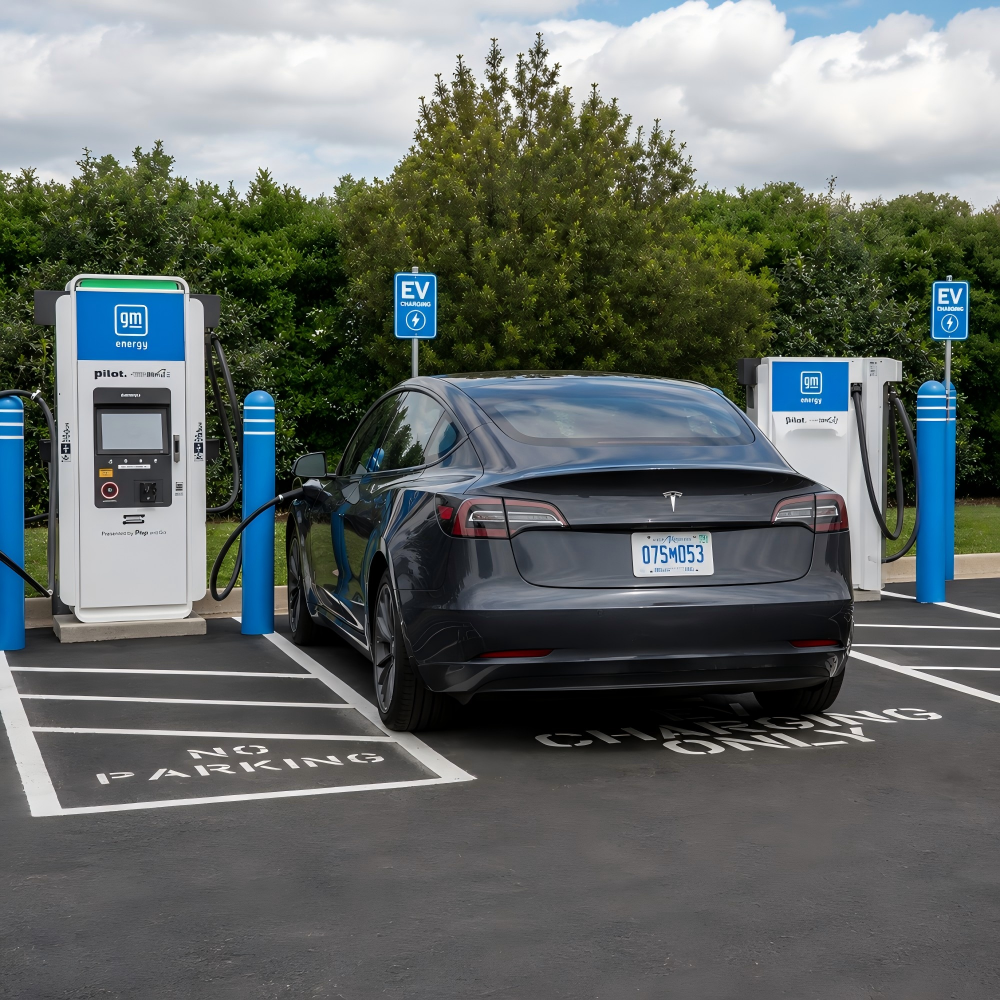 2026-06-23What Touch Technology Is Best for EV Charging Station LCD Displays?
Products
Commercial LCD Display
Gaming LCD Module
Outdoor Display
MINI-LED LCD Display
High Resolution Medical Display
OLED Display
Total Solutions
E-ink LCD Display
Desk VR Monitor
Service
Custom Touch Screen Solutions
Customized Frames & Protective Cover Glass
LCD Driver Board & Accessory Customization
Contact us
Contact Us
Copyright © 2025 Shenzhen Aptus Technology Co.,Ltd All Rights Reserved.

-
Inquire
- Top